Every campaign has an owner
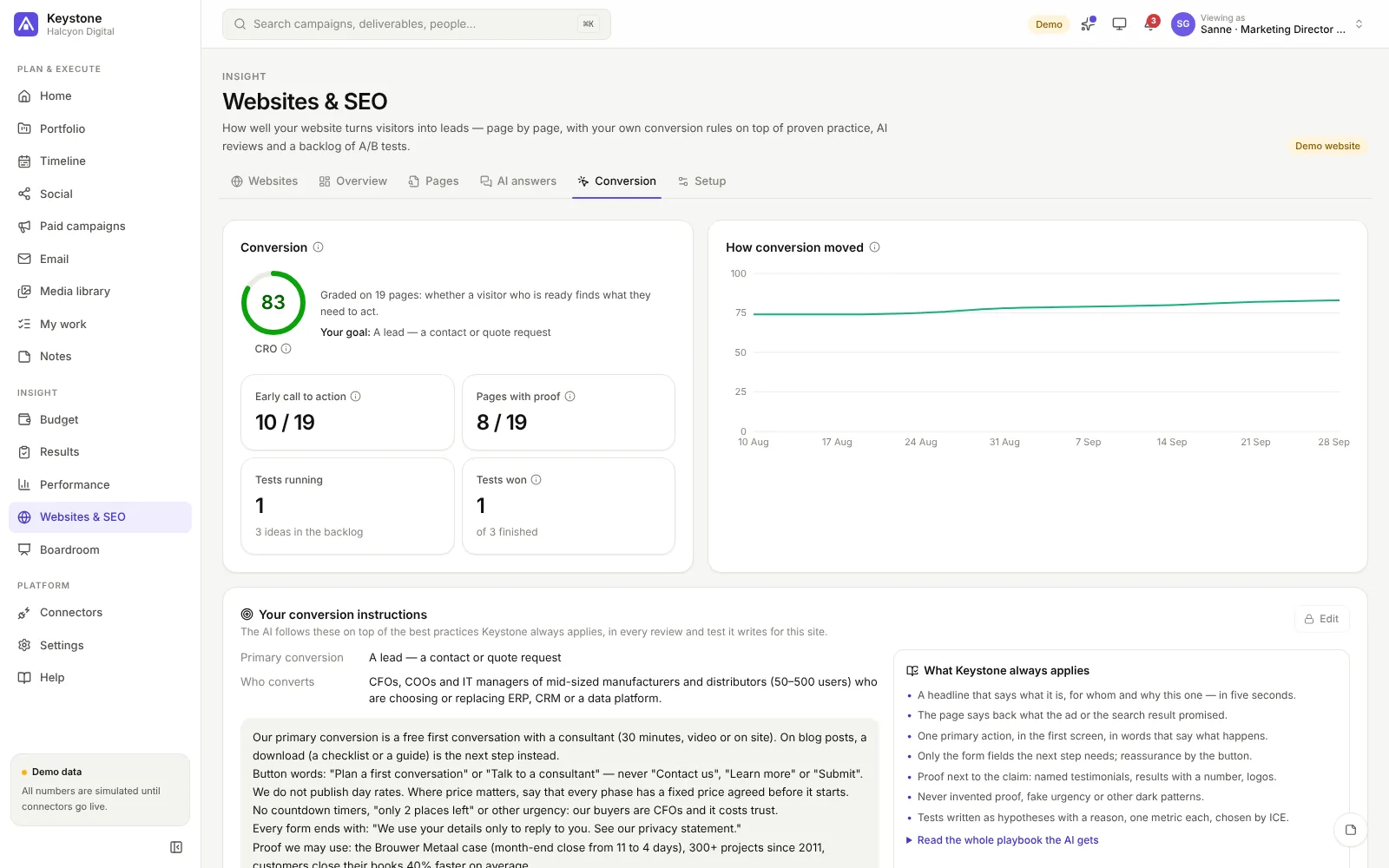
Campaigns, projects and events with their deliverables and tasks, an accountable owner, dates and a health that follows the work — not someone's gut feeling.
The marketing operating system
Keystone brings your marketing plan, budget and results together — so every campaign has an owner, every euro a reason and every number an explanation.
No sign-up needed — walk through a real-looking marketing team, read-only.

Why Keystone
The plan is in a spreadsheet, the budget in finance's system, the results in the CRM and the story in a slide deck that is out of date the day after. Keystone connects them, so the answer to "are we on track — and why?" is always one click away.
Campaigns, projects and events with their deliverables and tasks, an accountable owner, dates and a health that follows the work — not someone's gut feeling.
Budget, committed and actual spend per initiative, versions you submit and approve, a forecast to land and scenarios — in your reporting currency, whatever currency was spent.
Pipeline and bookings pace, ROI and attribution, market readiness — each with its definition and its source, and a health colour that always says why.
The product
Every campaign, project and event with its deliverables from a catalogue of over a hundred types, each with its own checklist. Status follows the work; health turns amber or red with the reasons.
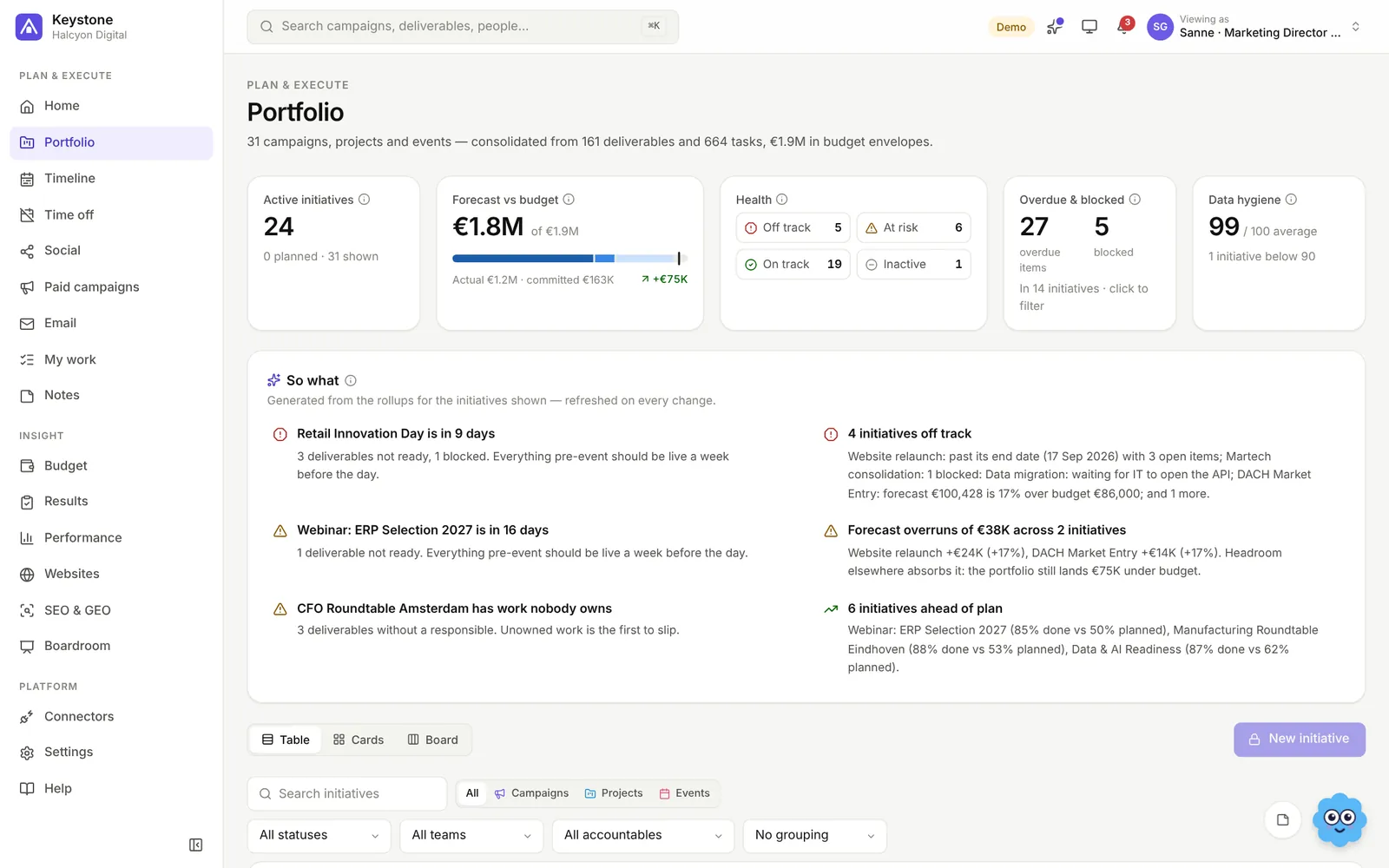
Plan versus committed and actual spend, purchase orders, versions you submit and approve, and a forecast to land — with scenarios and an optimiser for the channel mix.
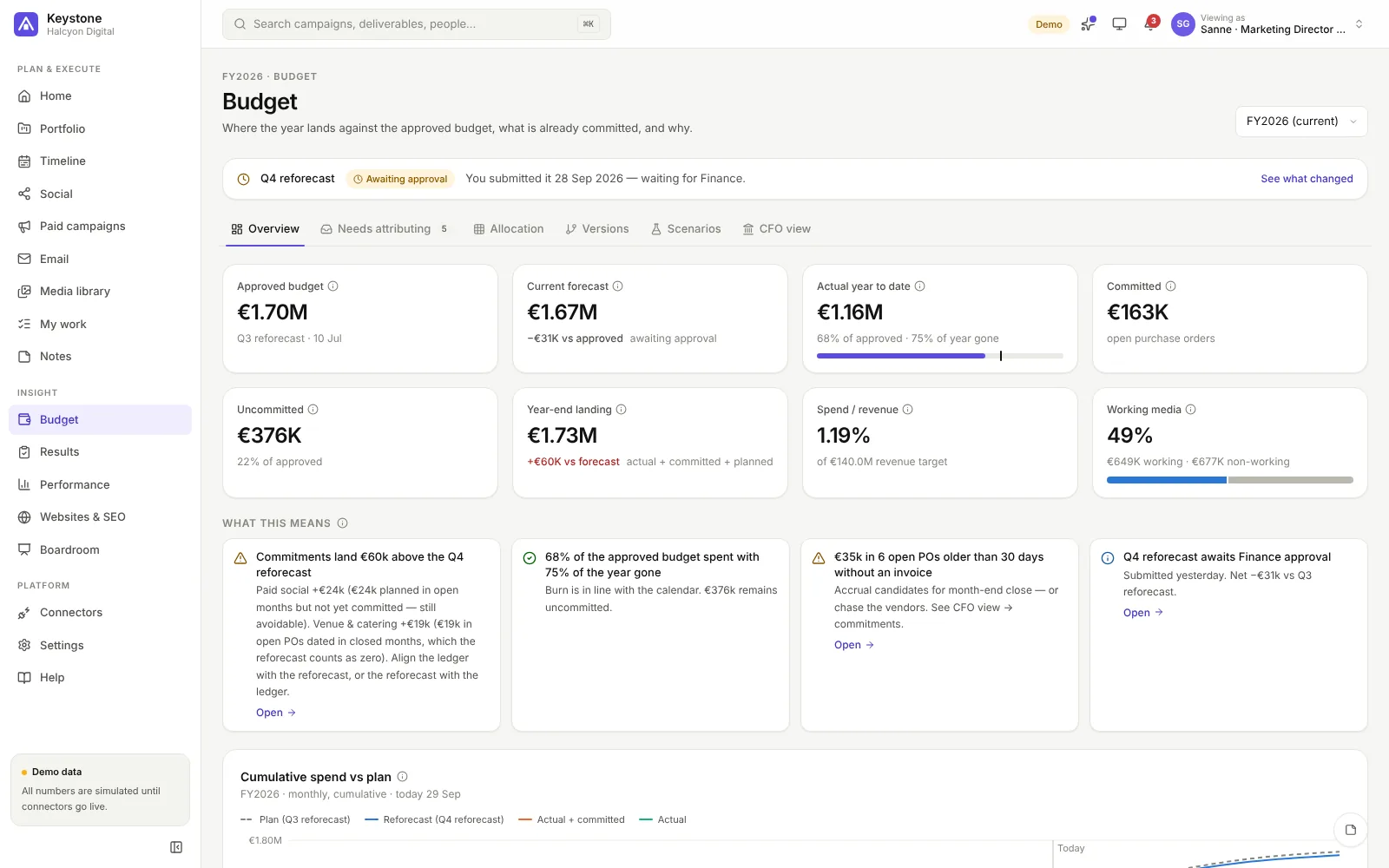
Pipeline and bookings against the quarter's goal, ROI per campaign on gross profit, seven attribution models, and a readiness index for the accounts in market — B2B or B2C.
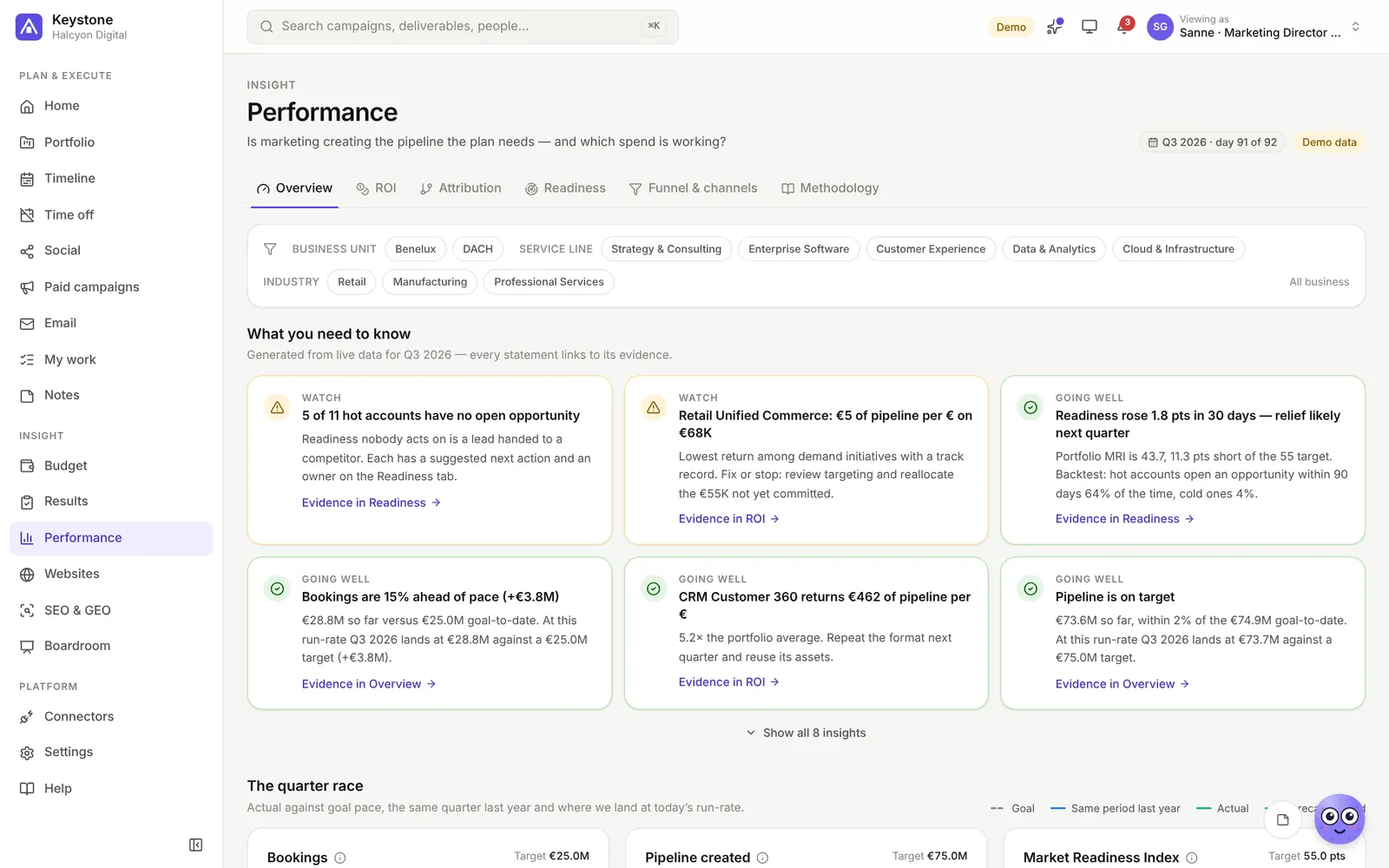
Keystone reads your website page by page: how findable it is in search engines (SEO), whether AI answers can quote it (GEO), and how well each page turns visitors into leads (CRO). Write your own conversion rules once — your goal, your button words, what you may promise — and the AI follows them on top of proven practice whenever it reviews a page or plans your next A/B tests.
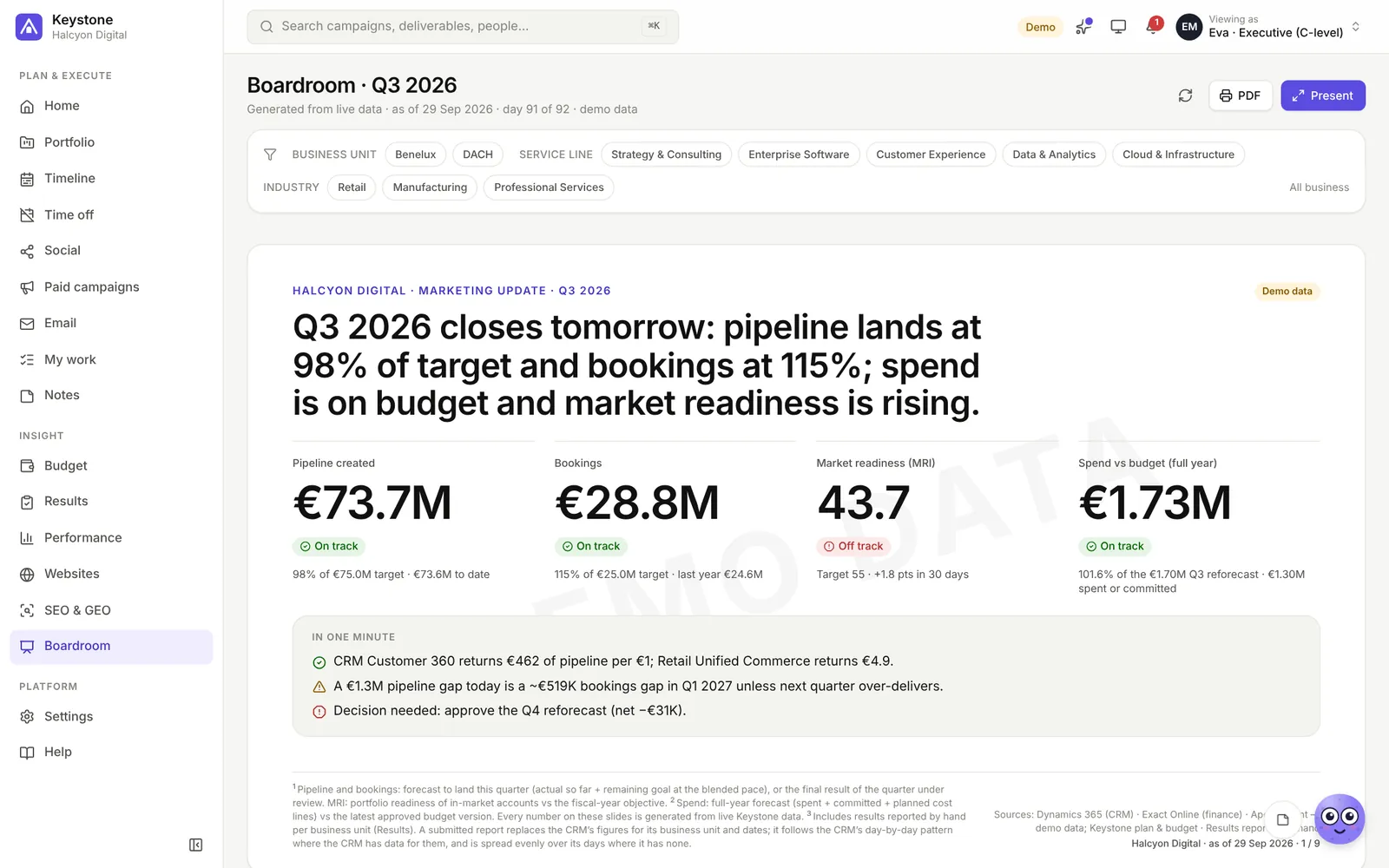
The story of the quarter in a few slides — headline, the numbers that matter, the risks and the decisions needed — generated from live data, always current, ready to present or print.
Organic posts from idea to published, with copy, design and approval per channel; email campaigns and journeys; paid campaigns designed from your website and sent to Google Ads and LinkedIn as drafts.
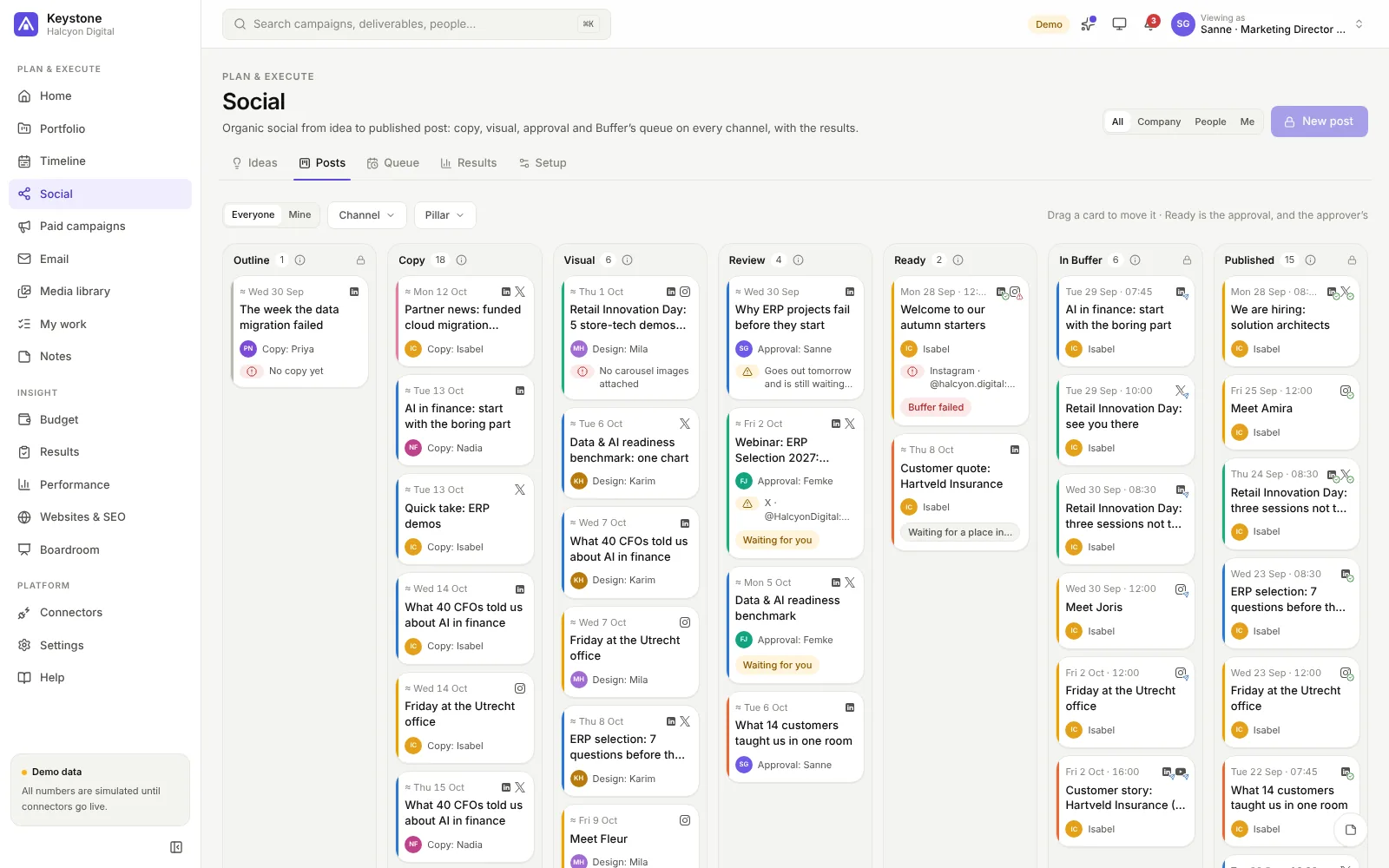
Write an idea in one line and plan it: how many posts, on which channels, how often. The AI drafts an outline for each post, you edit and approve them, and Generate makes the posts with a proposed day — nobody types a date. Each post goes through copy and visual, marketing gives the go, and Keystone feeds Buffer’s queue, which publishes it. The same flow serves the company’s channels and your thought leaders on their own accounts.
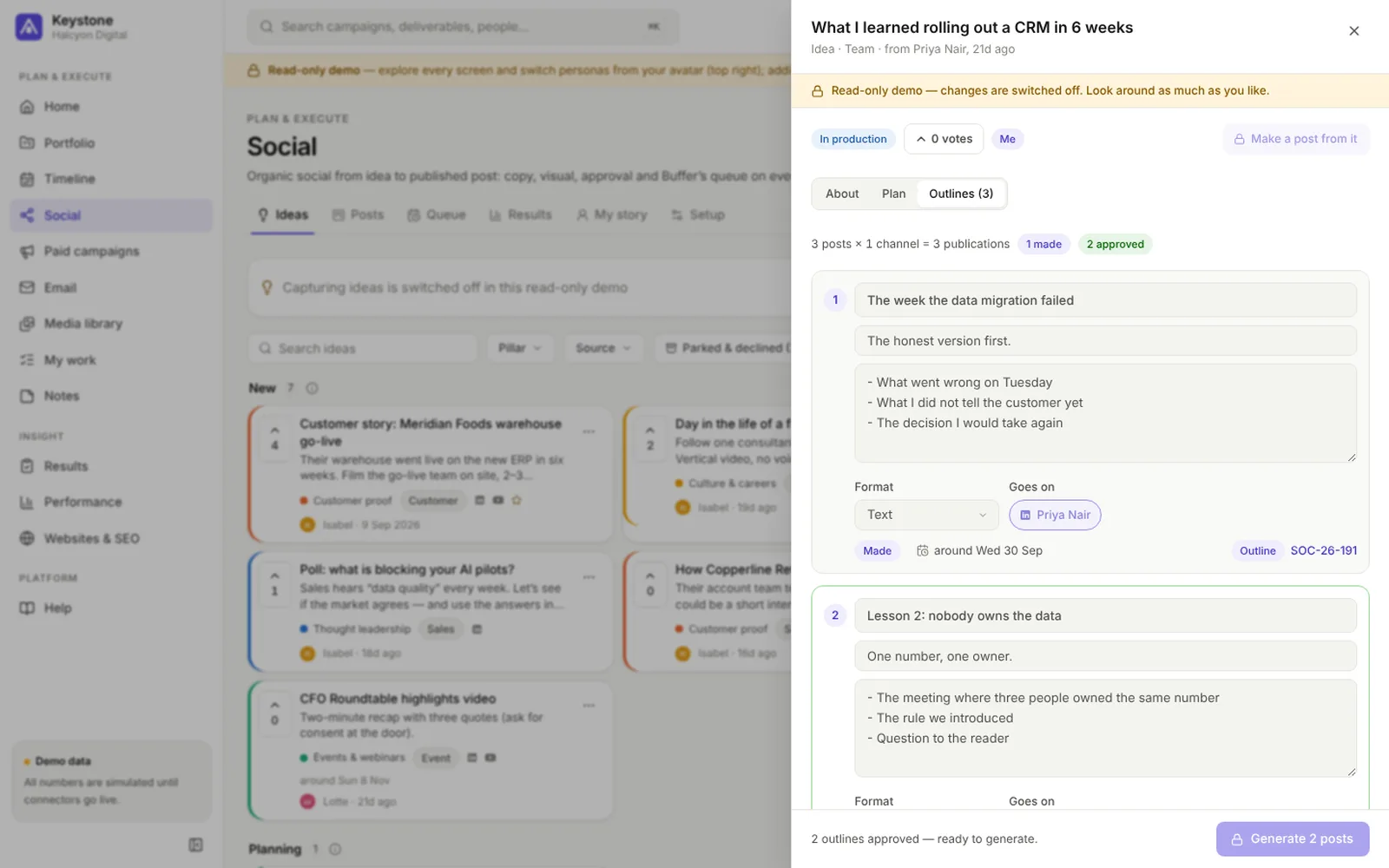
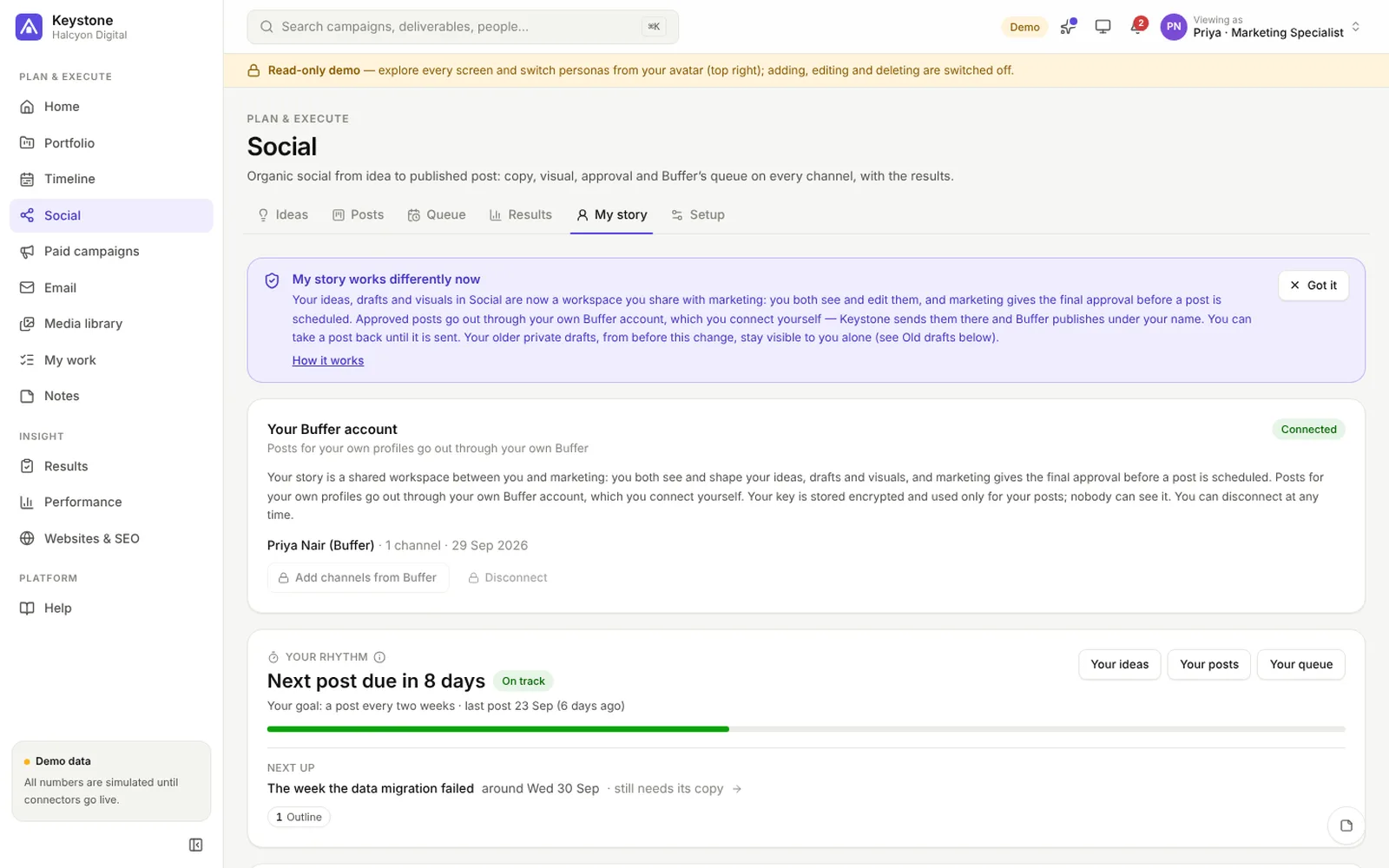
Ask the colleagues who should be known for something to become thought leaders. Each connects their own Buffer account, tells their story lines over months and shares their ideas, drafts and visuals with marketing, who give the final approval. Keystone suggests the next post from their own work and writes in their voice with your own AI key; approved posts go out through their Buffer, under their own name.
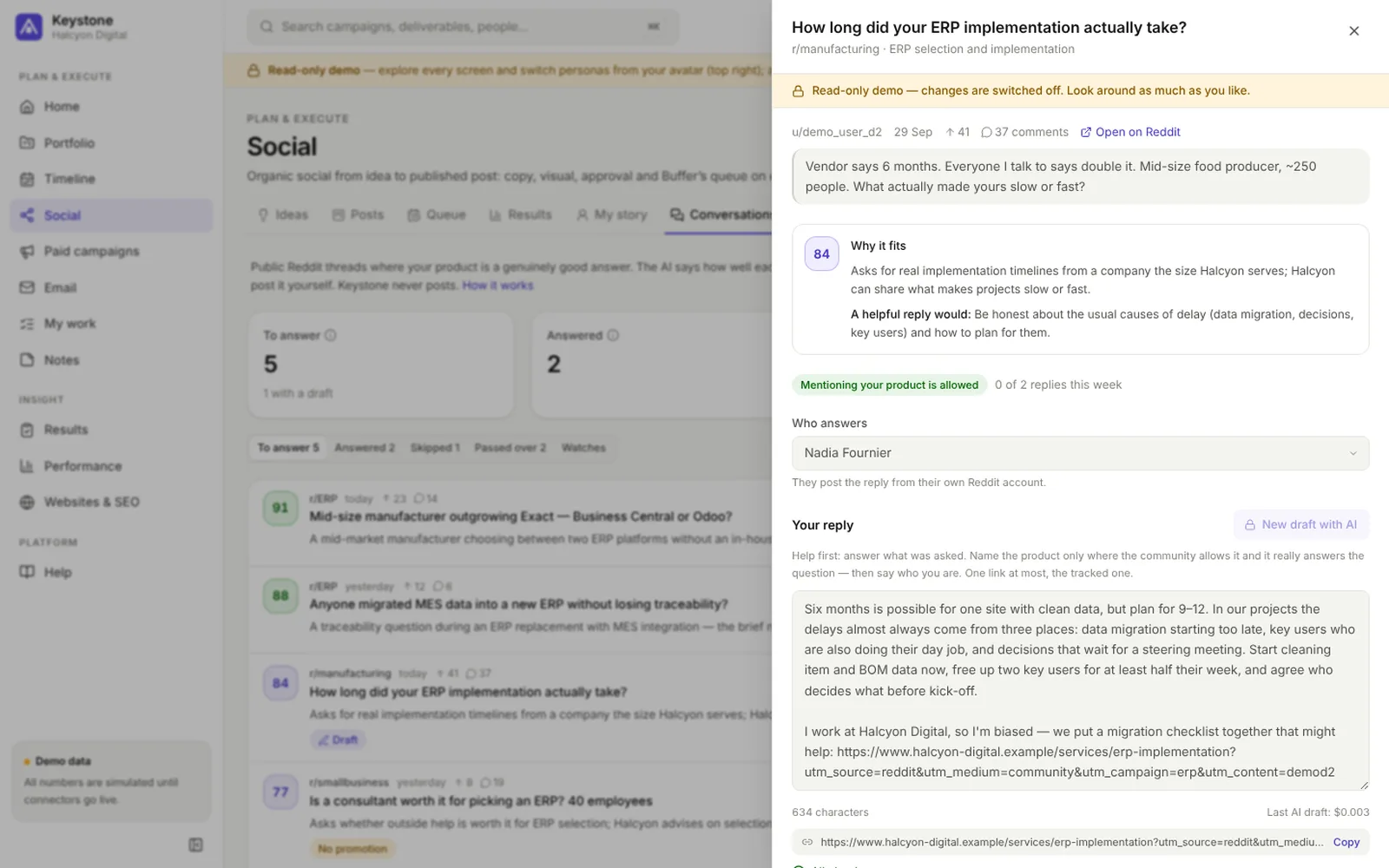
Keystone reads the new public threads in the Reddit communities you name. The AI scores each one against what your product really does and says why, and the good ones go to a marketer. The AI drafts a helpful reply in that person’s voice; they post it from their own account. Keystone never posts and never holds a Reddit login.
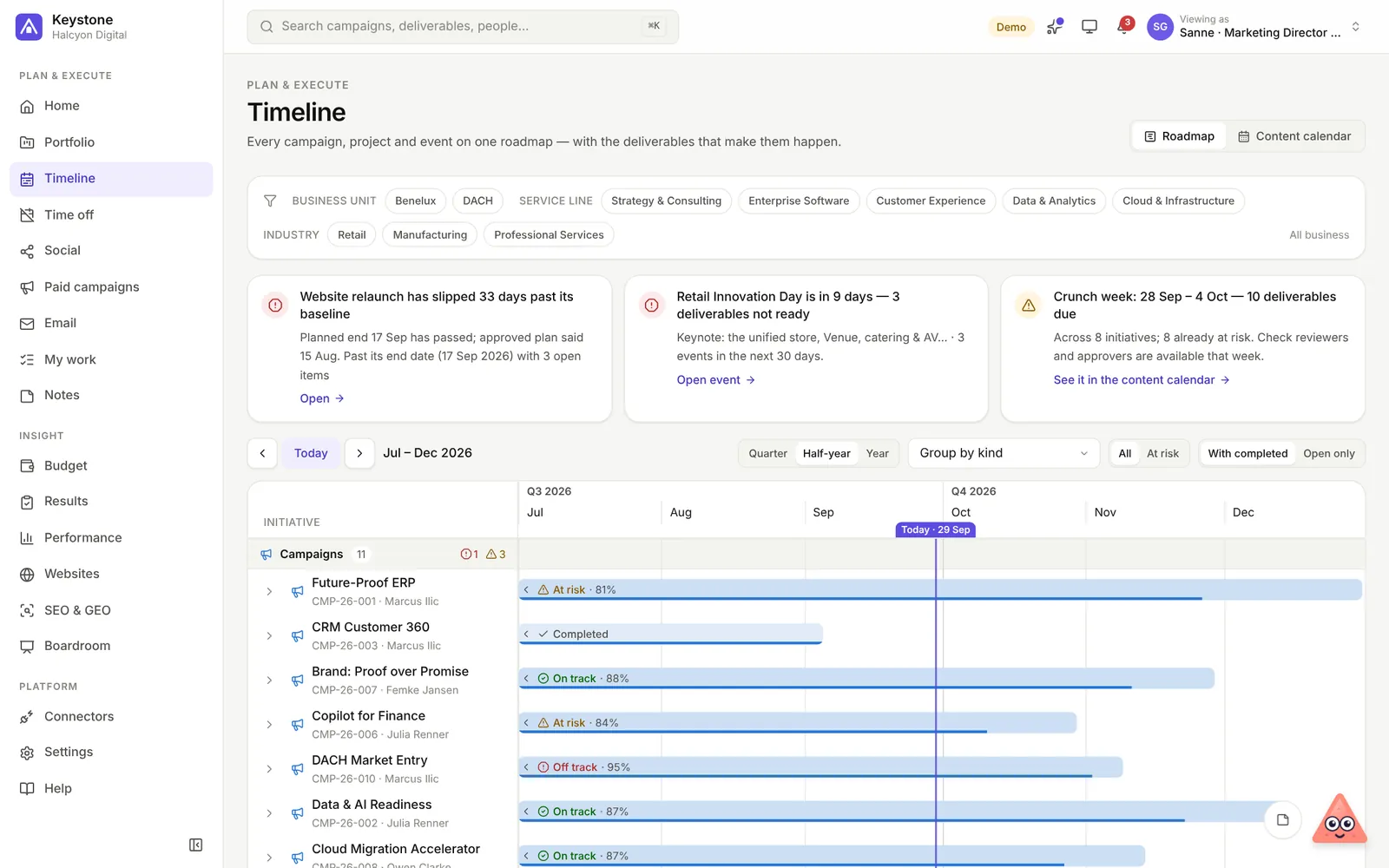
Every initiative and deliverable on one axis, with baselines, milestones and events — see what lands when, and what slips.
The assistant
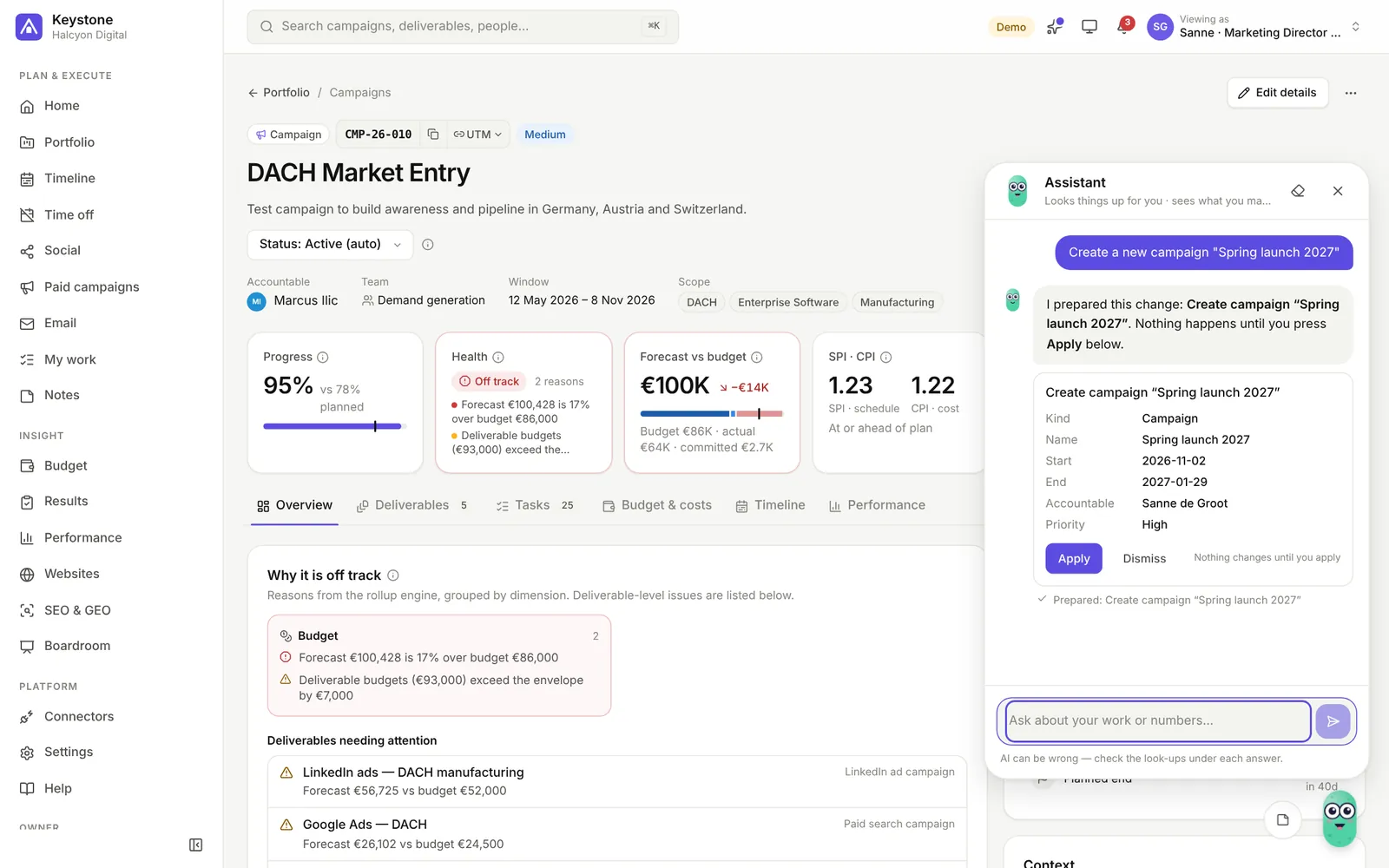
A friendly gang of buddies sits at the bottom of every page. Ask in plain words — what needs your attention, which campaigns are at risk and why — or ask it to do the work: create a campaign, add a deliverable, draft a post.
My agent
"Write the copy for every post of the spring launch." "Make visuals for next week's posts." Your agent plans the work into steps, works through them in the background as you, and leaves the result for your review.
A step that needs an earlier one waits for it; the rest carry on. When it needs you — a question, changes to review — only the steps that build on it pause, and the buddy tells you.
Let it ask first, or let it make the drafts straight away. Sending, publishing and new campaigns always wait for your Apply; AI images only cost credit when you allow it.
Posts without copy or a visual, deliverables due soon without tasks, a campaign that turned red: your agent suggests what it could take on, with a ready brief.
Make your buddy yours: pick its shape, colour, a little extra and a name it answers to.
Built to be believed
Hover any figure for what it means and where it comes from. Pipeline counts by created date, bookings by close date, ROI on gross profit — written down, not assumed.
"Off track" is never a feeling: click it and see the schedule, the budget, the blockers and the work nobody owns.
Eight roles from CMO to agency partner. Budgets and costs never reach people without finance access; agencies only see the work assigned to them.
Updates arrive in stages. Every new version runs in our own workspaces first, then with early-access customers, and only then reaches everyone — so a mistake never lands on every customer at once.
For the whole team
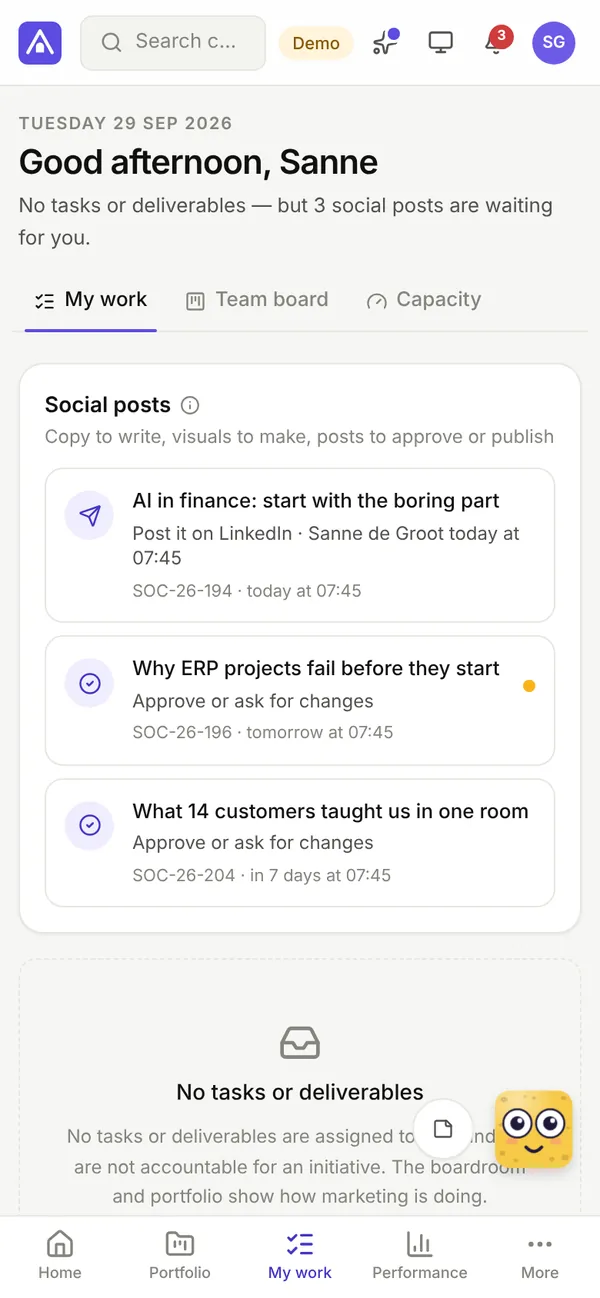
Everyone starts on a home page tuned to their role: the CMO sees the quarter, a manager the team's work, a specialist what is due this week. On a phone as well as a laptop, in light or dark mode.
English, Nederlands, Deutsch, Français, Español, Italiano and 简体中文 — each person picks their own.
Your data, your rules
Every workspace stands on its own, with its own database. Keystone works by hand from day one; integrations are switched on one by one — and you can download all of your data at any time.
Every screen is an endpoint, with personal access tokens and an OpenAPI description.
A built-in MCP server lets Claude, ChatGPT and your own agents work in Keystone — plans, social, SEO, paid and email — as you, with your rights, logged in the activity trail.
Two-step verification, encrypted keys, every change in the activity trail, backups you can download.
The demo is a marketing team of 24 people with 31 campaigns, projects and events, a budget and a quarter to close. Walk around as the CMO, the CFO or a specialist — nothing you do can break it.